

How can we help?
Answers for macslay+, from your first tidy to undo, licence keys and troubleshooting.
Start here


Getting started
Your first preview and where files go.
How do I tidy my first folder?
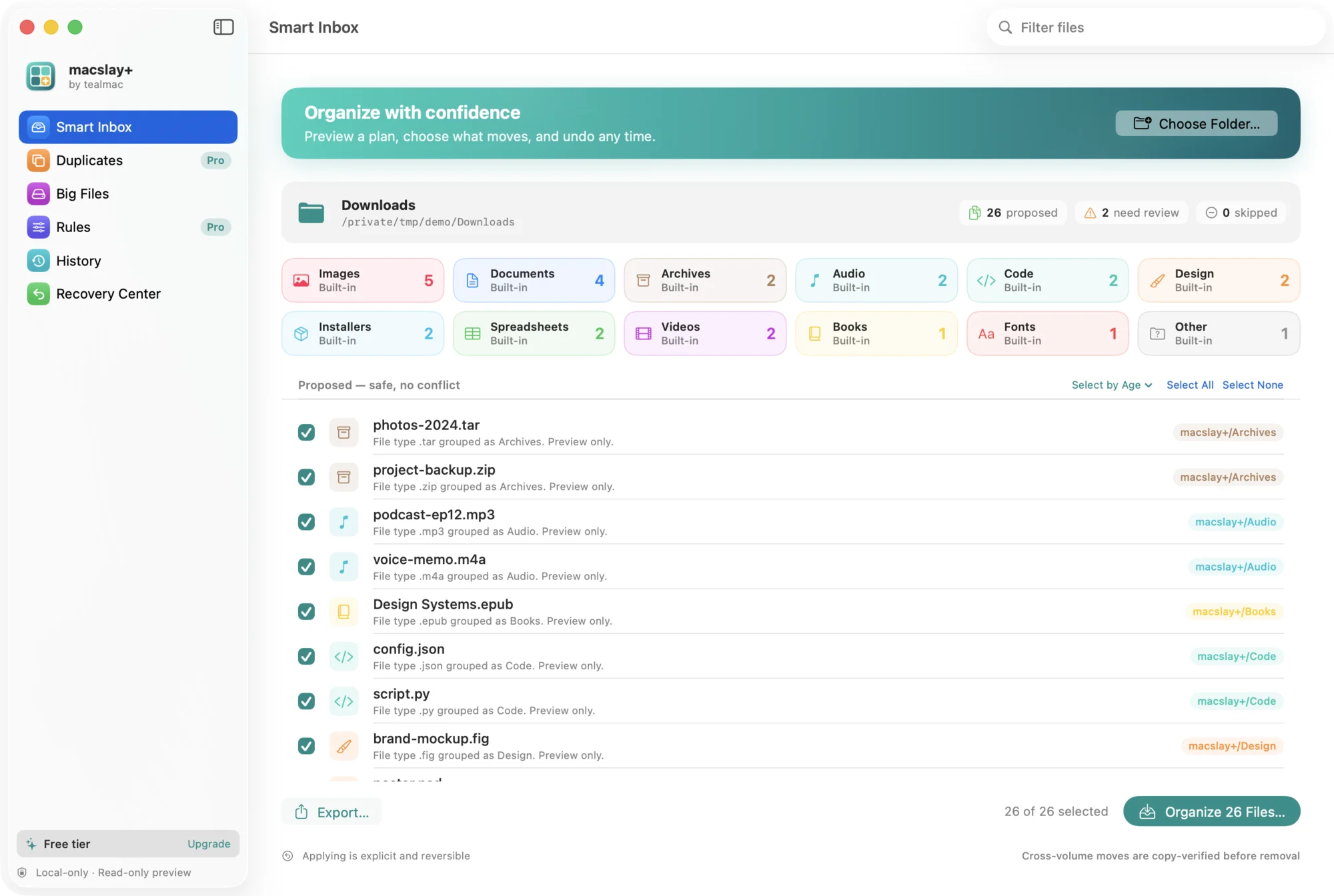
Choose Preview Downloads (⌥⌘D) or open any folder with ⌘O, or drag a folder from Finder onto the window. macslay+ lists every file and the folder it would go to. Nothing has moved yet. Untick anything that should stay, then choose Organize (⌘S) and confirm the number of files.
Where do my files go?
Into a
macslay+ folder inside the folder you tidied, split into twelve built-in folders by file type: Documents, Spreadsheets, Images, Design, Videos, Audio, Archives, Installers, Code, Fonts, Books and Other. See which types go where.Why does it ask me to choose the folder?
macslay+ runs in the macOS sandbox. It can only see folders you pick yourself (and Downloads, when you ask it to). It never asks for Full Disk Access.
Does organizing make copies and use more space?
No. On the same drive a file is moved, not copied, so no extra space is used. Moving to another drive copies the file, checks the copy byte for byte, and only then removes the original.
Undo and recovery
Put files back, even days later.
How do I undo a run?
Choose Undo Organize (⌥⌘Z) from the Organize menu, or open the Recovery Center. Every file goes back where it was, even after you quit and reopen the app.
Undo skipped a file. Why?
Undo never overwrites. A file is left where it is if it changed after the run, or if something else now sits in its old spot. The Recovery Center shows which files were skipped so you can move them by hand.
I deleted an organized file. What happens on undo?
Deleting a file in Finder sends it to the Trash, as usual. Undo skips files that are no longer there and restores the rest.
Are empty folders cleaned up after undo?
Yes. Folders macslay+ created that are empty after an undo are removed. A folder that still holds anything, even one of your own files, is kept.
Rules, duplicates and Big Files
Rules, duplicates and clearing out big files.
How do rules work? (Pro)
A rule sends file types you choose to a folder you name, for example zip and tar to Backups. Rules win over the built-in folders and only change the preview; nothing runs on its own. More about rules.
What happens to duplicates? (Pro)
Find Duplicates (⇧⌘D) groups files that are byte-for-byte identical. You pick the copy to keep; the extras go to the macOS Trash after you confirm, never a permanent delete, and Restore puts them back.
Can Big Files delete anything?
Only what you tick, and only to the macOS Trash. Tick large files, choose Move to Trash… and confirm the count and size. Each file is checked again right before it moves, and Put Back in the Recovery Center restores it. Nothing is deleted permanently.
What does Free limit?
Only how many files move in one run: up to 25. Preview, undo, Big Files, export, History and the themes have no limit. Compare Free and Pro.
Privacy and safety
What stays on your Mac (everything).
Does any data leave my Mac?
No. macslay+ has no network code, no account and no telemetry. Read the privacy page.
Can it delete my files?
Organizing never deletes; it only moves, and every run can be undone. Removing files only ever means the macOS Trash, only for files you tick, after you confirm: extra duplicates (Pro) and Big Files. Put Back restores them.
Licence keys
Activating Pro and what comes at launch.
How do I activate Pro?
Choose macslay+ › Upgrade to Pro… (⇧⌘L) and paste your key. The key is a signed code checked on your Mac, offline. There’s no account and nothing phones home.
How many Macs does a key cover?
One. Each Pro licence key is for 1 Mac. Moving to a new Mac? Email [email protected] and we’ll move it for you.
I lost my licence key
Email [email protected] from the address you bought with, and we’ll send your key again within 24 hours.
Troubleshooting
Fixes for the common snags.
“Permission denied” or a folder won’t preview
Choose the folder again with ⌘O. macOS only lets a sandboxed app open folders you picked, and access can be lost if the folder was moved or renamed.
The preview is empty or misses files
Hidden files are skipped unless you turn on Include hidden files in Settings (⌘,). The macslay+ folder itself is never re-scanned, so files already organized don’t appear again.
Only 25 files moved
That’s the Free limit per run. Run it again for the next 25, or use Pro to move everything at once.
macOS says it can’t verify the developer
macslay+ isn’t notarized by Apple yet, so macOS asks you to allow it once. Open System Settings › Privacy & Security and click Open Anyway. The install guide shows every step.
System requirements
- macOS 14 Sonoma or later
- Apple silicon or Intel Mac
- Works offline; no account
Contact
Email [email protected]. We reply within 24 hours. Include your macOS version, the macslay+ version and the steps that led to the problem. Please don’t send file contents.