
 macslay+ for macOS
Tidy any folder.Undo any run.
macslay+ shows where every file will go before anything moves. Untick what should stay, confirm once, and undo a run whenever you like, even after you quit the app.
Free · macOS 14 or later · No network access · Install guide
Try it here.
The same flow as the app, with example files: untick one, apply, then undo.
Downloads
previewmacslay+
inside DownloadsRuns in your browser. Nothing on your computer is read or changed.
The tour, in 22 seconds
The real app: the plan, one file left out, the confirmation, the receipt, and undo.
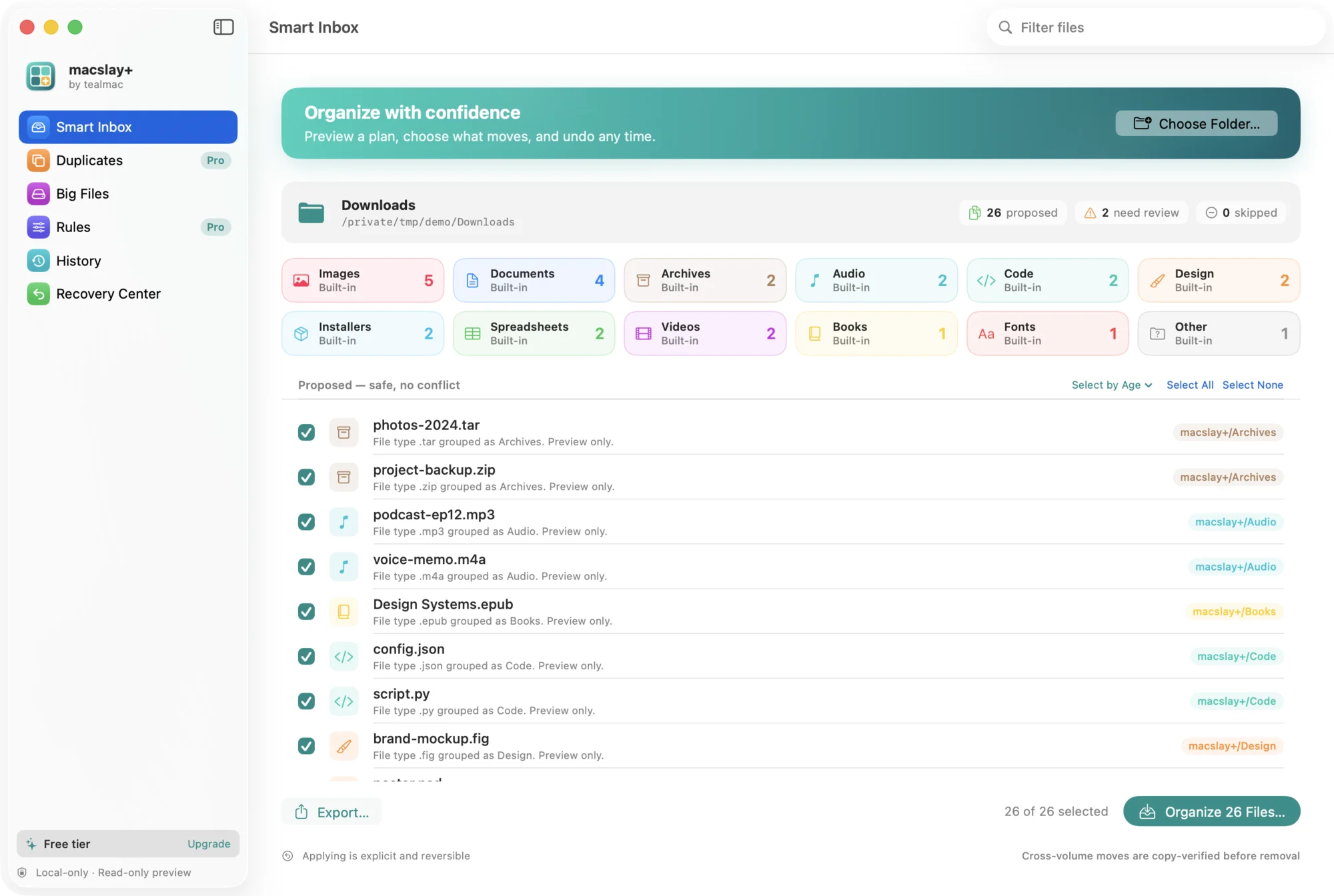
First, see where everything goes
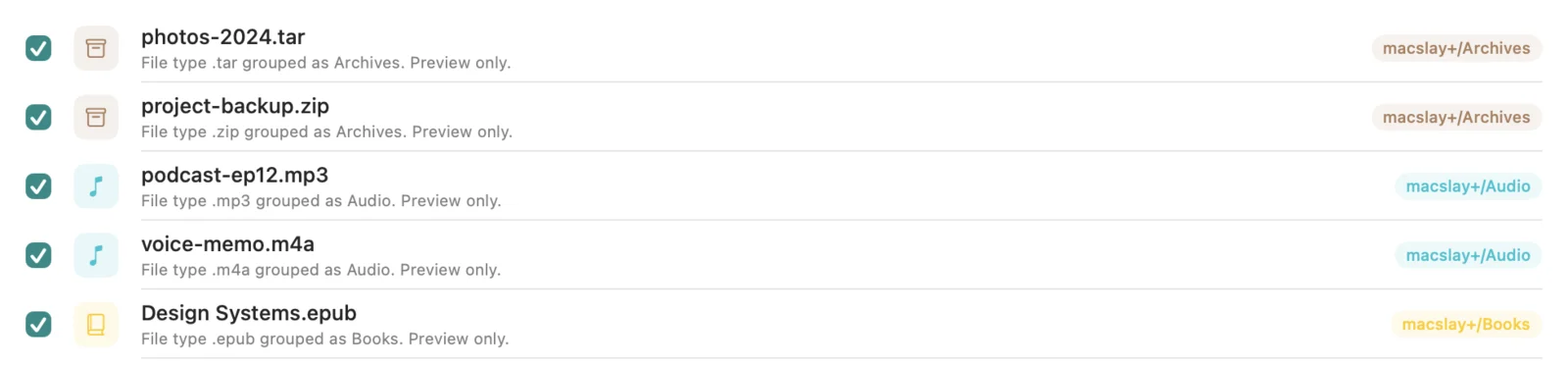
macslay+ reads the folder without changing it, and lists each file with the folder it would go to.

Everything it does, Free or Pro.
Nine of the twelve are in Free. Pro adds rules, duplicates and unlimited runs.
Preview firstFree
Every move is listed before it happens. Previewing changes nothing on disk.
Leave files outFree
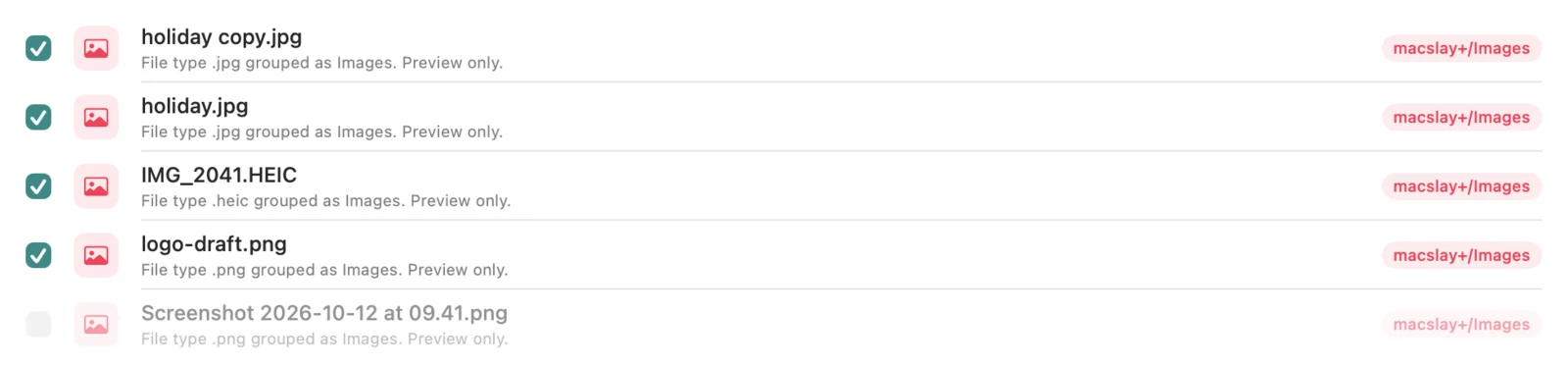
Untick a file or a whole folder and it stays exactly where it is.
One confirmationFree
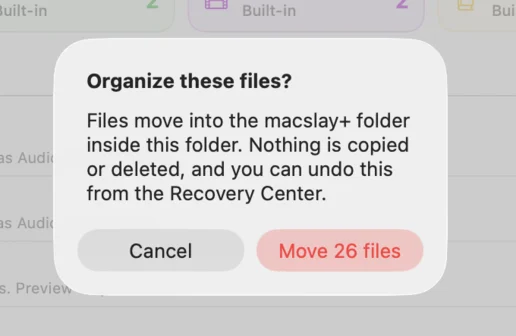
One question with the exact number of files, then the move.
Undo, even after a restartFree
Every run is journaled on your Mac, so Undo Organize works later too.
Twelve built-in foldersFree
Documents, Images, Installers, Code, Design, Fonts, Books and more, by file type.
Group by month, select by ageFree
File into dated folders, or tick only what’s older than 7, 30 or 90 days.
Big FilesFree
The largest files, biggest first. Tick some and move them to the Trash, with Put Back.
Export the planFree
Save the preview as Markdown or CSV before you run it. Exporting moves nothing.
Five colour themesFree
Teal, Sunset, Grape, Forest and Candy. Only the look changes.
Your own rulesPro
Send the file types you choose to a folder you name, like zip and tar to Backups.
Duplicates to the TrashPro
Keep the copy you choose; extras go to the Trash, and Put Back restores them.
No limit per runPro
Free organizes up to 25 files a run. Pro moves them all in one go.
Keep your hands on the keys.
The whole flow has shortcuts, from choosing a folder to undoing a run. They’re listed in the Organize menu too.
- ⌘OChoose Folder…
- ⌥⌘DPreview Downloads
- ⌘SOrganize Selected Files…
- ⌥⌘ZUndo Organize
- ⇧⌘EExport Plan…
- ⇧⌘DFind DuplicatesPro
- ⌘,Settings
Five promises you can check.
Each one is how the app is built, not a setting. Read the privacy page.
Your files stay on your Mac.
There’s no account and no network access: the app can’t send anything anywhere.
It only sees what you choose.
It runs in the macOS sandbox and can open only the folders you pick (and Downloads, if you ask).
Previewing is read-only.
Nothing moves until you confirm the exact number of files.
Every run can be undone.
A journal kept on your Mac lets Undo Organize put everything back, and refuse rather than overwrite.
Nothing is deleted for good.
Organizing only moves. Files you choose to clear (duplicates or big files) go to the macOS Trash, and Put Back restores them.
Other ways to tidy a folder
macslay+ isn’t the only careful organizer. Folder Organizer also previews a plan and can reverse runs. Here is what each one says it does.
| What it does | macslay+ | Folder Organizer | Folder Tidy | Hazel | Finder |
|---|---|---|---|---|---|
| Shows the whole plan before moving | Yes | Yes | Not stated | Per rule | No |
| Undo a run later | Yes, from a journal | Yes, logged runs | Yes, recent and past runs | Partly | ⌘Z, this session |
| Leave single files out of a run | Yes | Not stated | Not stated | By rule | Manual |
| Checks copies to another drive | Yes, byte for byte | Not stated | Not stated | No | No |
| Runs on your Mac only | Yes | Yes | Yes | Yes | Yes |
| Price | Planned one-time | $5.99 | Mac App Store | About $42 one-time | Built in |
Pay once, or not at all.
Planned prices. macslay+ is in development, nothing is on sale and there’s no checkout yet.
Free
$0planned
Up to 25 files per run
- Preview, untick, confirm, undo
- Twelve built-in folders
- Group by month, select by age
- Big Files, export, History
- Five colour themes
Pro
$29one-time, planned
Unlimited files per run
- Everything in Free
- Your own rules
- Duplicates to the Trash, with Put Back
- One licence key for one Mac, no subscription
- Works offline; no account
Have a licence key? Paste it in the app under macslay+ › Upgrade to Pro… (⇧⌘L). Keys are checked on your Mac, offline.
Recently built
The whole changelogMore folders, Big Files, export, and colour themes
Twelve built-in folders: Installers, Spreadsheets, Design, Code, Fonts and Books join Documents, Images, Videos, Audio, Archives and Other.
Duplicates you can clear, select by age, and Mac niceties
Duplicates (Pro): choose which copy to keep and move the extras to the macOS Trash. Nothing is permanently deleted, and each file is checked again right before it moves.
Leave files out, Rules, History, and a new look
Leave files out: every file in the plan has a checkbox, and only ticked files move. The confirmation shows how many will move.
Safety fixes from a code review
Right before moving a file, the app now checks the file as it is at that moment, not as it was during the preview.
Questions, answered.
More in Support.
What does Free limit?
Does macslay+ ever delete files?
Can I keep some files where they are?
What if I change my mind later?
Does any data leave my computer?
Is it signed by Apple?
How do licence keys work?
Is it a subscription?
Which Macs does it run on?
Tidy a folder. Undo any of it.
Try the whole flow in your browser with example files. Nothing on your computer is touched.
macOS 14 or later · In development, not on sale yet · Install guide